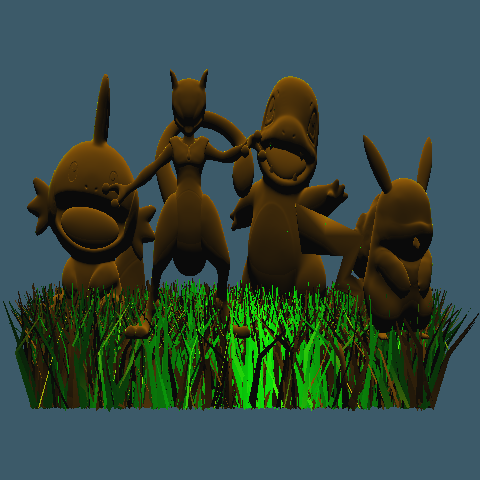
We set out to create a scene with a basic Pokemon fight and were lucky enough to find models for
Mudkip, Charmander, Pikachu, and Mewtwo Pokemons. However, due to hardware limitations the
Pokemon fight turned into a Pokemon get-together.
For the scene, we downloaded different Pokemon models from CGTrader and put them together in Blender. We
then found a grass model to tie the scene together. There are a total of
4,839,711 primitives in
the scene and it took around 2 hours hours to render the scene using
BVH acceleration structure and
multi-threading on 6 cores.. We have made use of Phong shading as well as Point light sources for this scene.
Low vs High Resolution
The following two images are renders of our scene in low resolution 480x480 and high resolution 1440x1440.
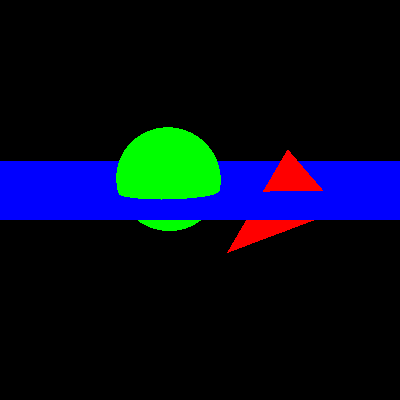
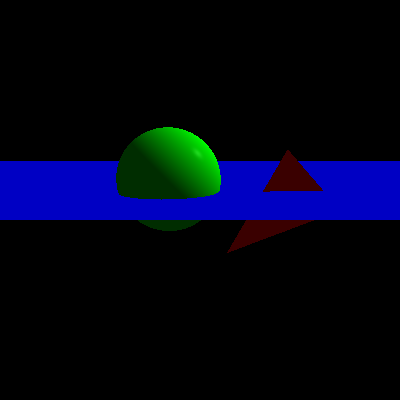
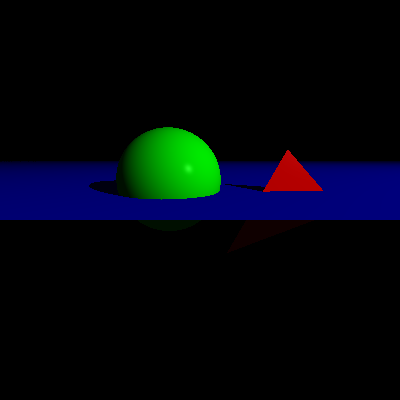
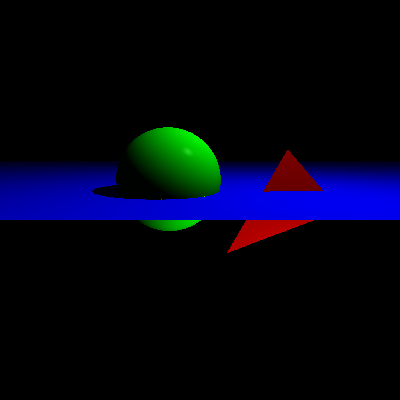
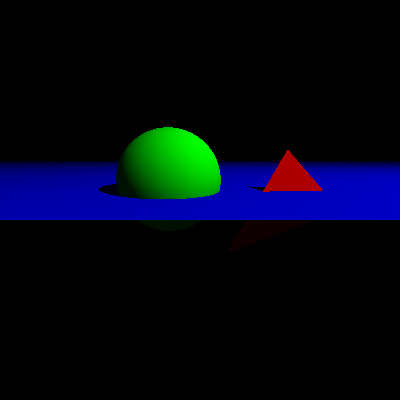
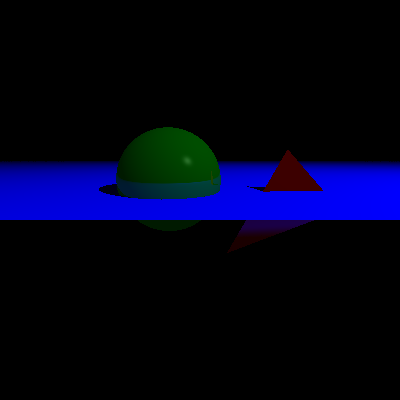
Lighting
We employed Ambient Light, Directional Light, Point Light to render the same scene settings with a
variation of different light sources.
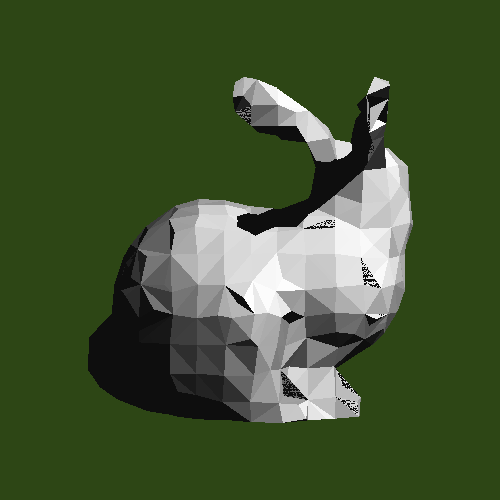
Flat vs Smooth Shading
Here we have implemented flat and smooth shading. In flat shading, each triangle has a constant
normal and so each of them is colored with one color, giving the bunny a flat appearance.
Whereas, in smooth shading, the normal of each triangle is dependent on the normals of its
neighboring triangles, giving it a smoother appearance. (The above image is of the Stanford bunny.)
Additional Renders
We also rendered these additional scenes to experiment with features like shadows, lights and materials.
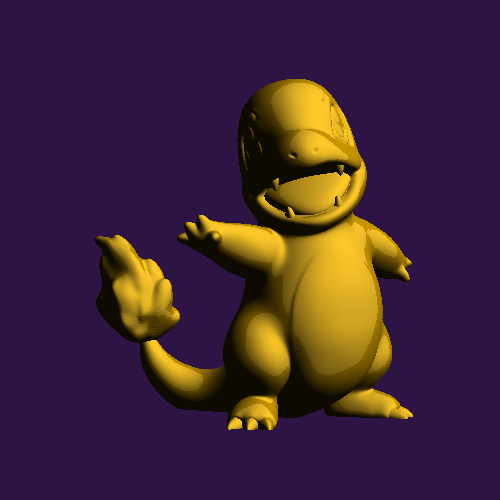
We have employed the Phong shading scheme with point lighting for this render. Model taken from CGTrader
Pokemon As Seen From Behind
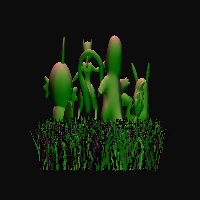
Test render of our final scene.
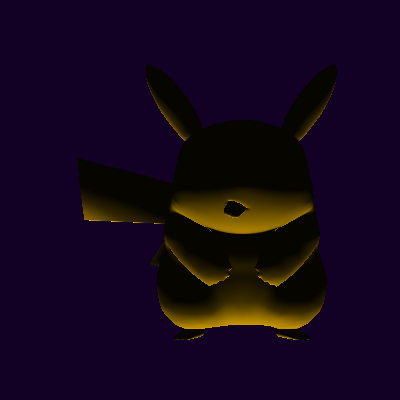
Evil looking Pikachu.
Acceleration Structure
- Bounding Volume Hierarchy (BVH)
-
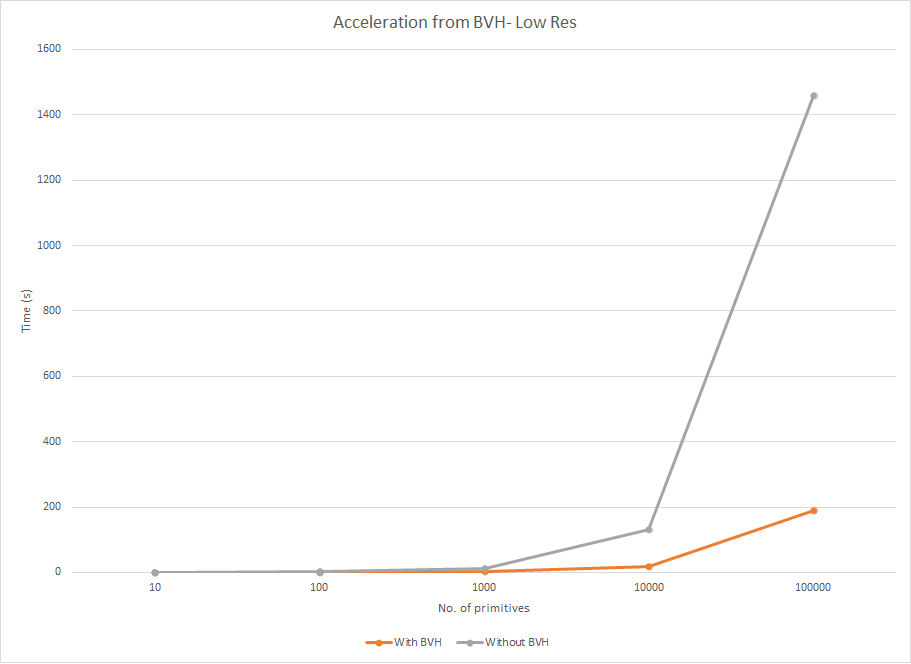
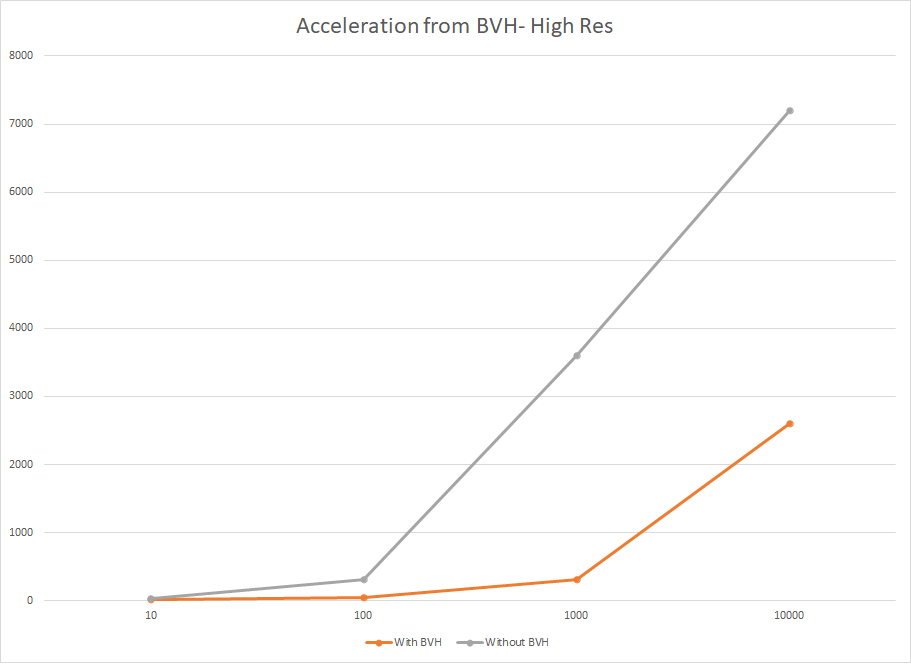
We used Bounding Volume Hierarchy (BVH) to speed up the rendering process. The following tables
compare the render times of our ray tracer with and without the BVH acceleration structure. Our code can be run without the acceleration strucutre by commenting out line 34 in the raytracer.cpp file.
| Primitives |
Time With BVH (s)
|
Time Without BVH (s)
|
Resolution
|
Primitives
|
Time With BVH (s)
|
Time Without BVH (s)
|
Resolution
|
| 10 |
0.409609
|
0.354006
|
480x480
|
10 |
6.601609
|
6.336886
|
1980x1980
|
| 100 |
0.705417
|
1.579724
|
480x480
|
100 |
10.286034
|
28.950214
|
1980x1980
|
| 1000 |
2.343886
|
12.726601
|
480x480
|
1000 |
40.361636
|
305.437283
|
1980x1980
|
| 10000 |
17.597176
|
132.230667
|
480x480
|
10000 |
306.015275
|
3600+
|
1980x1980
|
| 100000 |
190.195648
|
1457.913041
|
480x480
|
100000 |
2400+
|
Way too long
|
1980x1980
|
|
Code Features
-
- BRDF
-
We have used the Bi-Directional Reflectance Distribution Function(BRDF's) to compute how light
is reflected off of an opaque surface.
-
- Ray Tracers
-
We have used two kinds of tracers, a basic tracer that samples each pixel only once and
additionally we've also implemented a whitted ray tracer that allows us to set a max
depth
for
reflectance.
-
- Acceleration Structure
-
We used Bounding Volume Hierarchy (BVH) to speed up the rendering process.
-
- Lighting
-
We used Ambient Light, Directional Light, Point Light, to render the same scene settings
with
a
variation of different light sources.
-
- Geometry
-
We employed multiple classes such as Planes, Spheres, Triangles and Smooth Triangles.
-
- Materials
-
We used Matte Material, Phong and Reflective Materials to generate our renders.
-
- Cameras
-
We implemented parallel and perspective cameras for different views.
Bonus Features
-
- Ply Files
-
We can load any triangle mesh ply file.
-
- Multi threading
-
Since raytracing is an embarassingly parallel problem, we implemented multi-threading using OpenMP. This allowed us to speed up our rendering even more.
-
- Smooth Shading
-
We can choose between smooth or flat shading when loading a triangle mesh.
-
- Shadows
-
We have additionally implemented shadows for Point light sources.
Compile instructions
Our code can be run without the acceleration strucutre by commenting out line 34 in the raytracer.cpp file.
With multi threading:
g++ -w .\raytracer.cpp .\cameras\*.cpp .\geometry\*.cpp .\materials\*.cpp .\samplers\*.cpp .\utilities\*.cpp .\world\*.cpp .\tracers\*.cpp .\build\shadingBuild.cpp .\lights\*.cpp .\brdfs\*.cpp .\acceleration\*.cpp -fopenmp
Without multi threading:: Comment out lines 38 and 40 in raytracer.cpp. Then compile using the
following:
g++ -w .\raytracer.cpp .\cameras\*.cpp .\geometry\*.cpp .\materials\*.cpp .\samplers\*.cpp .\utilities\*.cpp .\world\*.cpp .\tracers\*.cpp .\build\shadingBuild.cpp .\lights\*.cpp .\brdfs\*.cpp .\acceleration\*.cpp
Build Files
Following are the build files used for creating different images. These build files can be found under
the build folder. You may replace shadingBuild.cpp in this compile code with any of the filenames below:
g++ -w .\raytracer.cpp .\cameras\*.cpp .\geometry\*.cpp .\materials\*.cpp .\samplers\*.cpp .\utilities\*.cpp .\world\*.cpp .\tracers\*.cpp .\lights\*.cpp .\brdfs\*.cpp .\acceleration\*.cpp .\build\shadingBuild.cpp
- shadingBuild.cpp: This scene consists of a 3D model of the Stanford Bunny. We can use the
isSmooth flag on line 24 to toggle between flat and smooth shading .
- materialBuild.cpp: Modified the given buildHelloWorld.cpp file to test different materials.
- lightBuild.cpp: Modified the given buildHelloWorld.cpp file to test different lighting
schemes.
- timetesting.cpp: File to test rendering times of different number of primitives by randomly
generating different number of spheres.
- buildPly.cpp: Used to render any of the given ply files under models.
Team
The members of Team Raster are: Anand Kumar, Maheen Khan, Rida Zahid Khan and Salman Younus. We are
Computer Science majors at Habib University, taking Computer Graphics (CS440) with Dr. Waqar Saleem.
Acknowledgements